Python Read & Write Google Sheet§
Google Cloud Platform§
Create Project§
Go to Google Cloud Platform (create account if you don’t have one)
Create a new project

Create Credential§
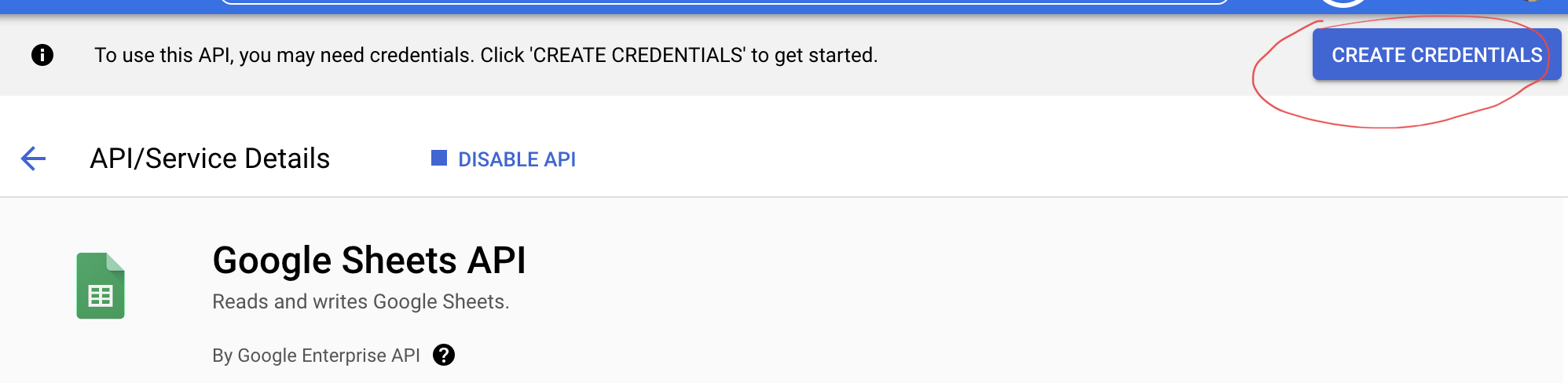
After create a new project, a Credential button will pop up automatically. On the left hand side you could also find the Credential button
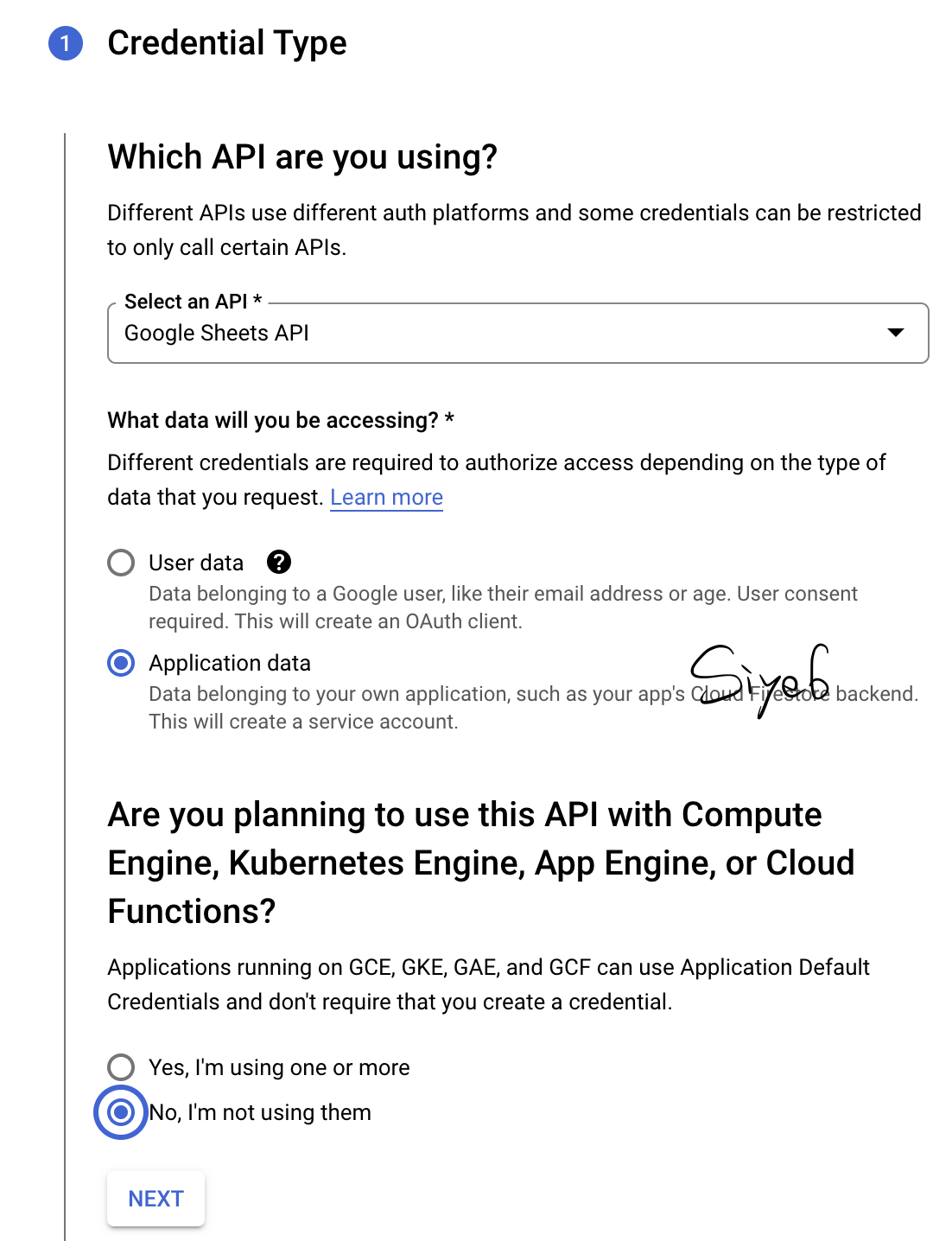
Create credential and select Application data since we are asking python to read the data instead of human
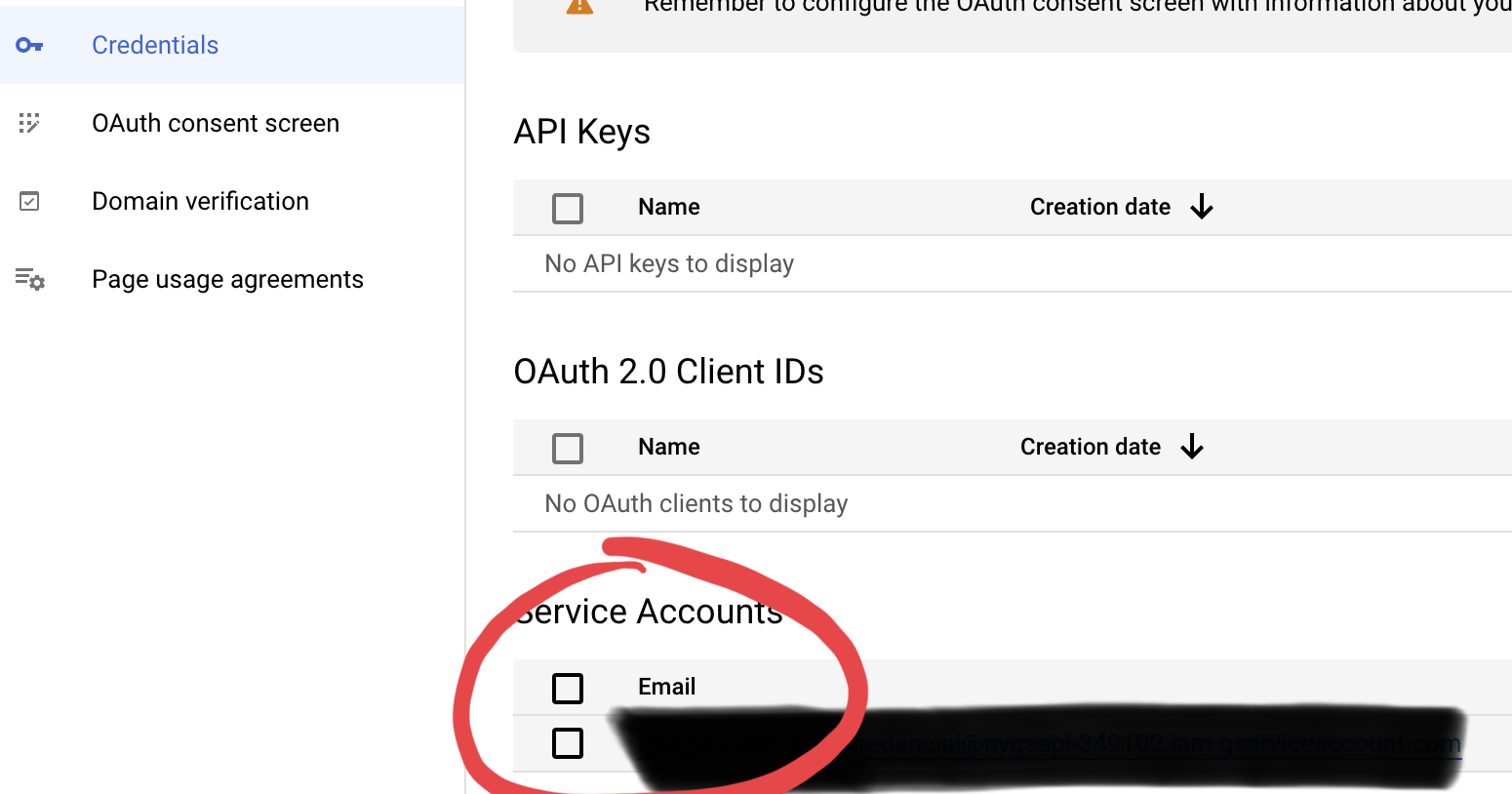
View the credential we’ve created - The credential is like a email account so later we will grant access to this account in our gsheet
Add Keys§
Hit the credential link to add keys
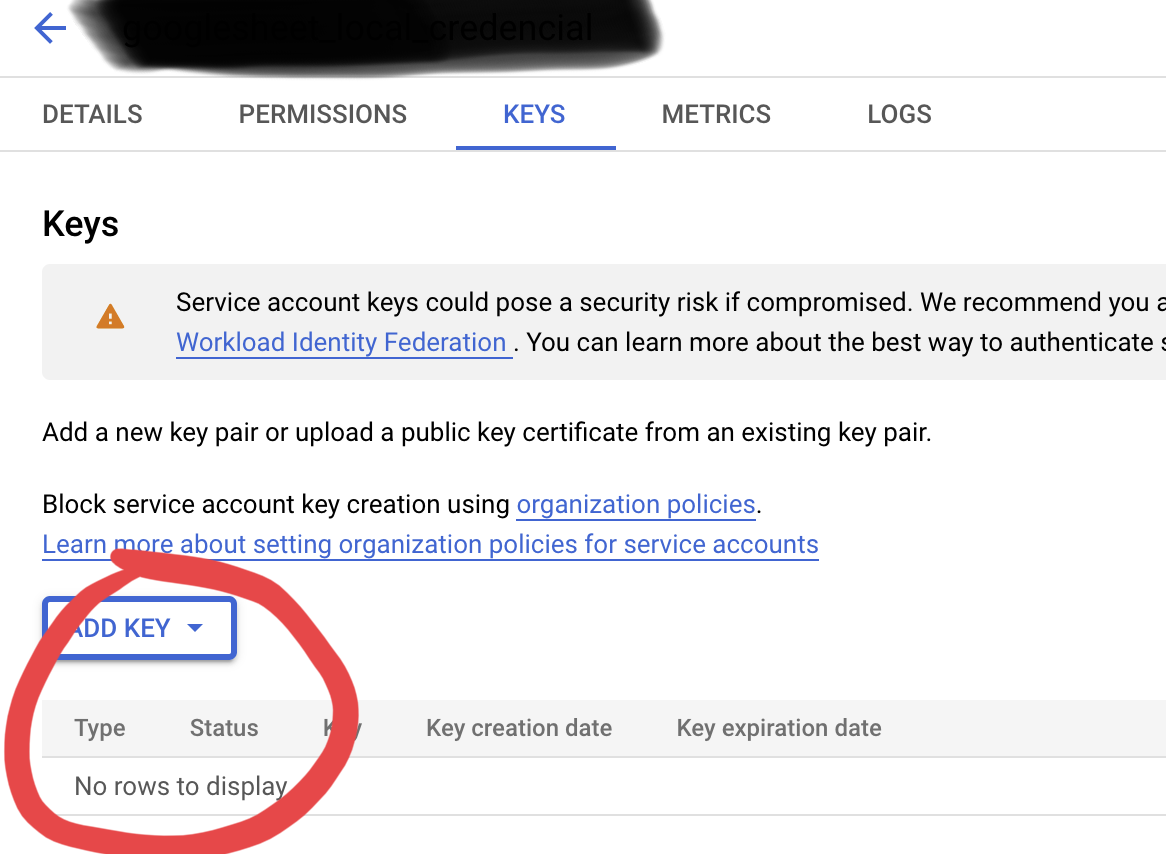
Download the keys, we will use it later in the code example. Now we finish everything in the google cloud platform.
Install Packages For Google Sheet§
Install the related packages via pip
pip install --upgrade google-api-python-client google-auth-httplib2 google-auth-oauthlib
Install the related packages via conda
conda install google-api-python-client google-auth-httplib2 google-auth-oauthlib
Code Example§
#!/user/bin/env python

from googleapiclient.discovery import build
from google.oauth2 import service_account

SCOPES = ['https://www.googleapis.com/auth/spreadsheets']
SERVICE_ACCOUNT_FILE = '../../pygsapi.json'

creds = None
creds = service_account.Credentials.from_service_account_file(
        SERVICE_ACCOUNT_FILE, scopes=SCOPES)

# The ID and range of a sample spreadsheet.
SAMPLE_SPREADSHEET_ID = 'your sheet ID here'
SAMPLE_RANGE_NAME = 'your sheet range here'

service = build('sheets', 'v4', credentials=creds)
sheet = service.spreadsheets()
result = sheet.values().get(spreadsheetId=SAMPLE_SPREADSHEET_ID,
                            range=SAMPLE_RANGE_NAME).execute()
values = result.get('values', [])
print(values)